Step-by-step guide
How to start Done-For-You Applications
Hand your job applications to an expert from your Resumere dashboard. This guide walks through every screen — signing in, opening Done-For-You, picking a plan, setting your brief, paying from your credits, and tracking applications.
Done-For-You Applications puts a real expert on your job search: you set the brief — roles, locations, salary — and they source matching openings and apply on your behalf, with every job visible to you before it goes out. You start it in a few minutes from inside your dashboard. Here's exactly what to click, screen by screen.
What this guide covers
- Where Done-For-You lives in your dashboard
- Choosing a plan and setting your brief
- How you pay — and what counts as a credit
- How you approve jobs and track applications
01Sign in to your dashboard
Go to your Resumere account and sign in. If you don't have an account yet, create one for free — you only pay when you submit your brief. Once signed in you'll land on your dashboard.
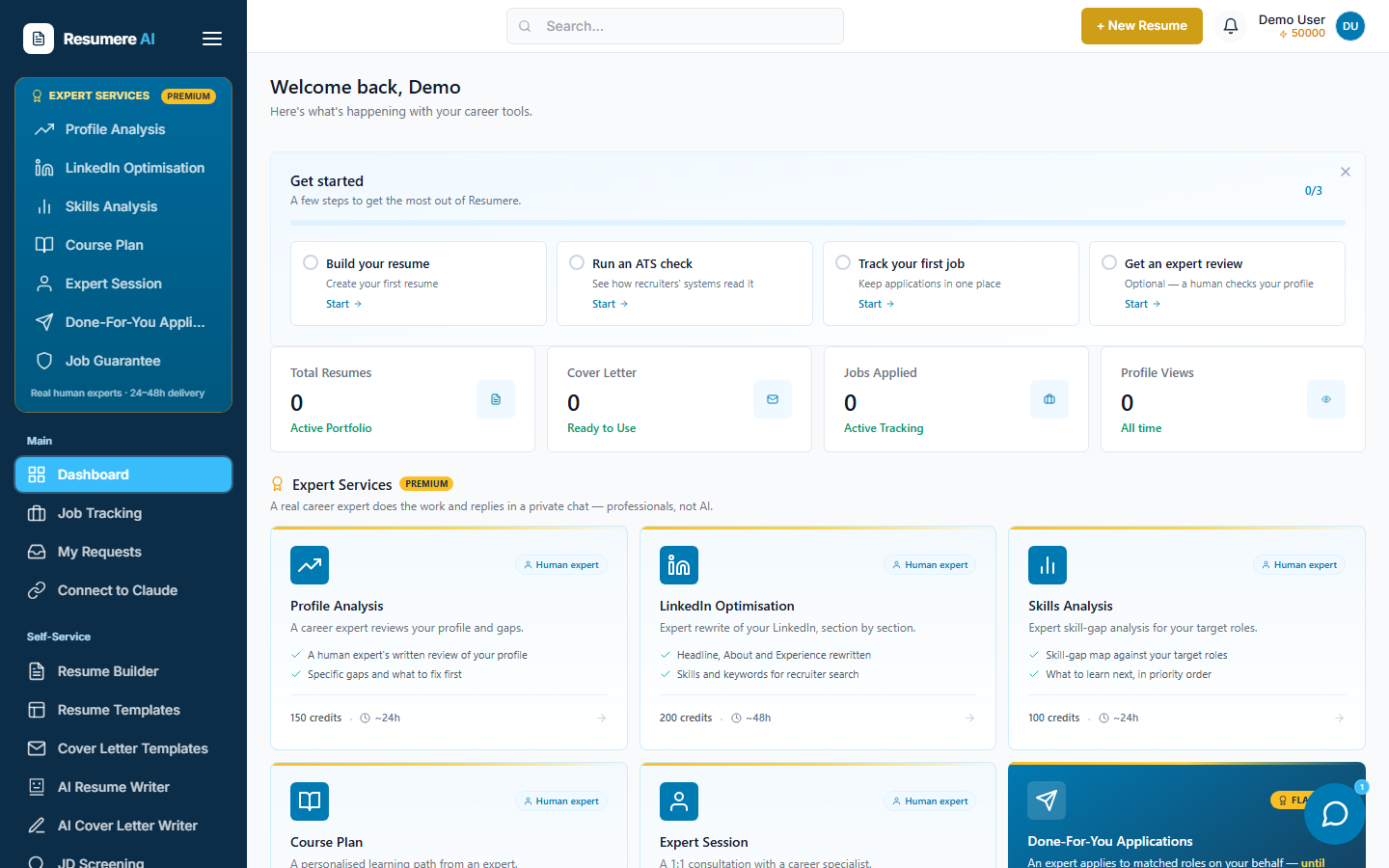
- 1The Expert Services panel in the sidebar
02Open Done-For-You Applications
In the left sidebar, under the gold Expert Services panel, click Done-For-You Applications, then start a New Application Request. This opens the form where you pick a plan and set your brief.
- 1Click 'Done-For-You Applications'
03Pick a plan and book a session
Choose your plan: Basic sources and applies to a set number of roles, while Job Guarantee is the unlimited tier that keeps going until you're placed. Then pick a date and time for the team to kick off your search.
What the service does
- An expert sources roles that match your brief
- They apply on your behalf — you approve each job first
- Progress and every application are tracked on your request page
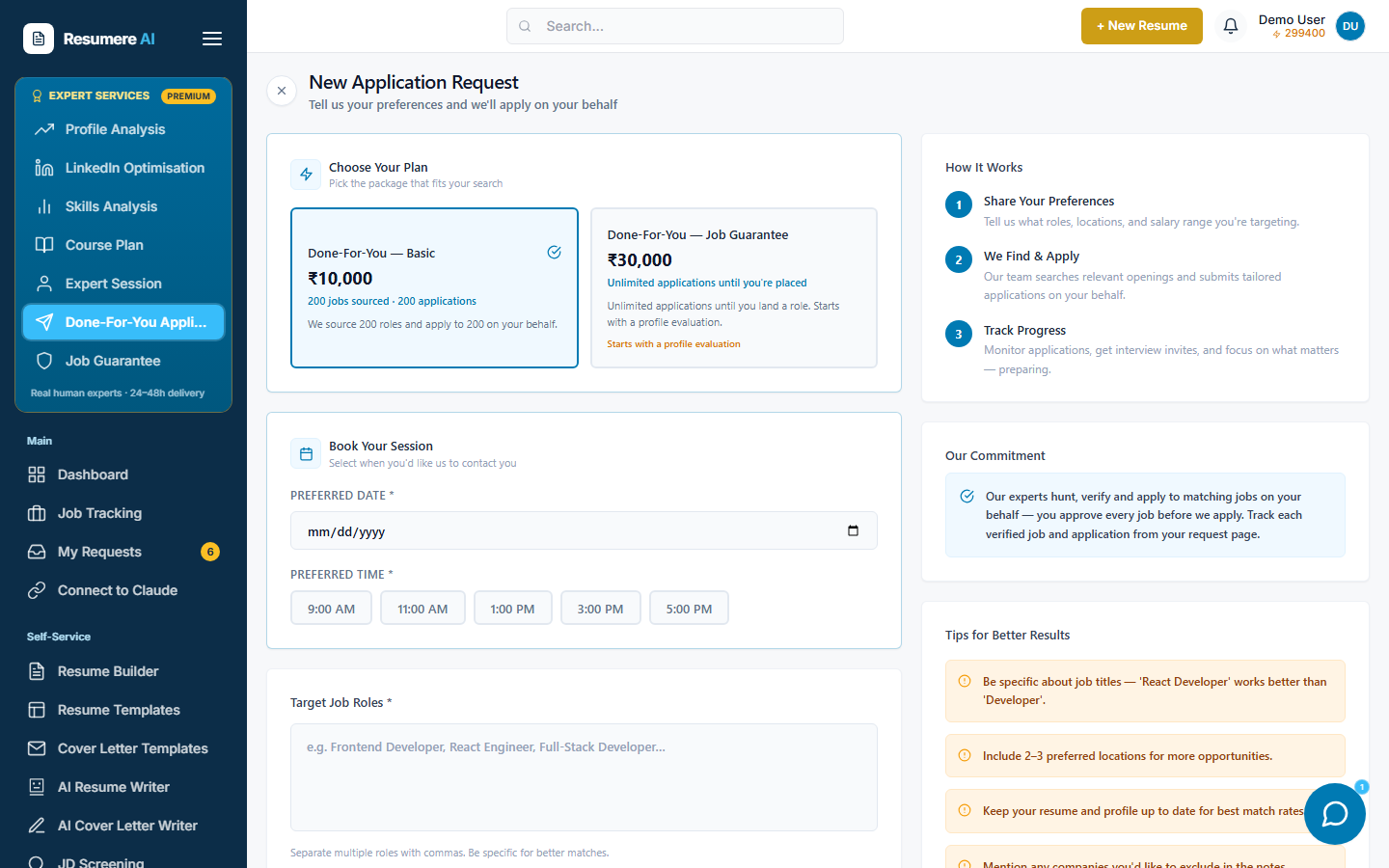
- 1Pick a plan — Basic or Job Guarantee
- 2Book a session to start your search
- 3How it works, start to finish
04Set your brief and attach your CV
Fill in your target roles, locations, job type, experience, salary range and preferred industries, plus a note with anything the team should know (companies to avoid, must-haves). Attach your latest CV — the expert applies with it — then click Submit Request.
05Top up credits if prompted
If your wallet doesn't cover the plan, a Top Up Credits window opens showing how much you need. Pay by card or UPI, and your request continues automatically once the top-up succeeds.
06You're in — confirm your preferences
You land on your request page, open to the Preferences tab with your brief already filled in. Refine anything here — it's what drives the jobs the engine hunts for you, which your expert then verifies. Use the Files tab to add more CV variants, and Verified Jobs to approve roles before they're applied to.
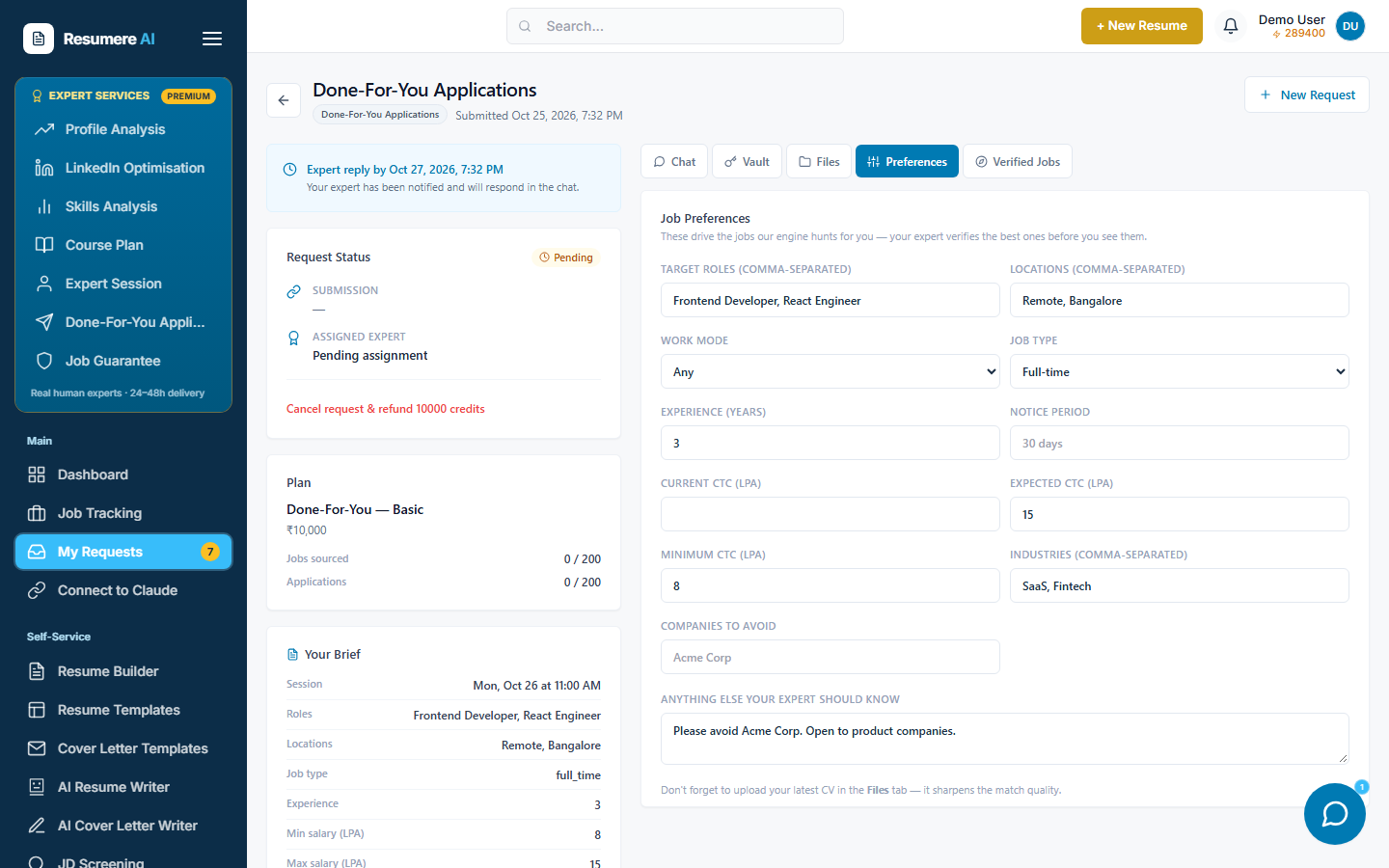
- 1Status, your plan and the job count
- 2Chat, Vault, Files, Preferences and Verified Jobs tabs
- 3Your job preferences — the brief that drives the search
07Track it under My Requests
Your search runs from My Requests. Open it any time to chat with your expert, approve jobs before they apply, and watch applications go out. You'll get notifications as things move.
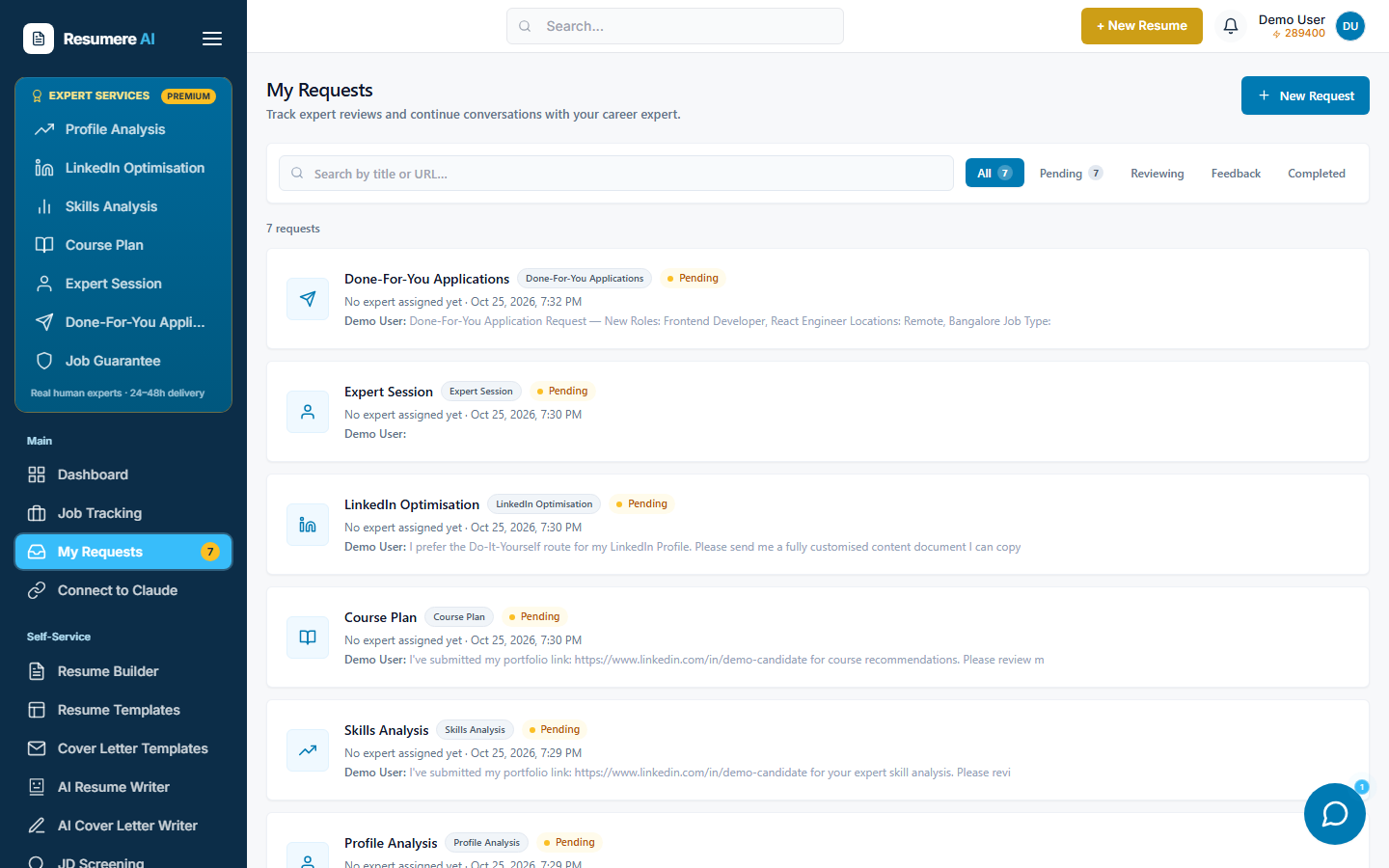
- 1Every expert request, newest first — open one to chat
- 2Filter by status: Pending, Reviewing, Feedback, Completed
Frequently asked questions
- Do you apply to jobs without asking me?
- No. You approve each job before it's applied to. Your expert sources matching roles, you review them on the Verified Jobs tab, and only approved jobs get an application.
- What's the difference between Basic and Job Guarantee?
- Basic sources and applies to a set number of roles. Job Guarantee is the unlimited tier — your expert keeps sourcing and applying until you're placed. Both are shown with their cost on the plan picker before you choose.
- How do I pay?
- The plan is paid once from your Resumere credits wallet (1 credit = ₹1). The cost is shown on each plan card. If your balance is short, a Top Up Credits window lets you add credits by card or UPI, and your request then continues automatically.
- What do I need to submit?
- A plan, a session date and time, your target roles, locations, job type, experience, salary range and industries, a note for the team, and your latest CV (PDF, DOC or DOCX).
- Where do I track applications?
- On your request page, reached from My Requests. It shows the jobs sourced, applications sent, your preferences, and a private chat with your expert.
Ready to stop filling out applications?
Set your brief and let an expert apply on your behalf — from your dashboard in minutes.