Step-by-step guide
How an Expert Session works, step by step
From booking to your written action plan: the short brief, picking times for the call, joining it, and what your expert sends you afterwards.
An Expert Session is a live 45-minute 1:1 video call with a real career expert. You share your goals and CV first, propose up to three times that suit you, and your expert confirms one and sends the video link. After the call you get a written summary and action plan on your request page, plus 7 days of follow-up questions in chat.
What this guide covers
- What the short brief asks for
- How to propose times and join the call
- The six steps from booking to your action plan
- Rescheduling, refunds and how you're kept updated
01Open Expert Session
Sign in to your Resumere account. In the left sidebar, every service done by a human expert is listed under Expert Services. Click Expert Session.
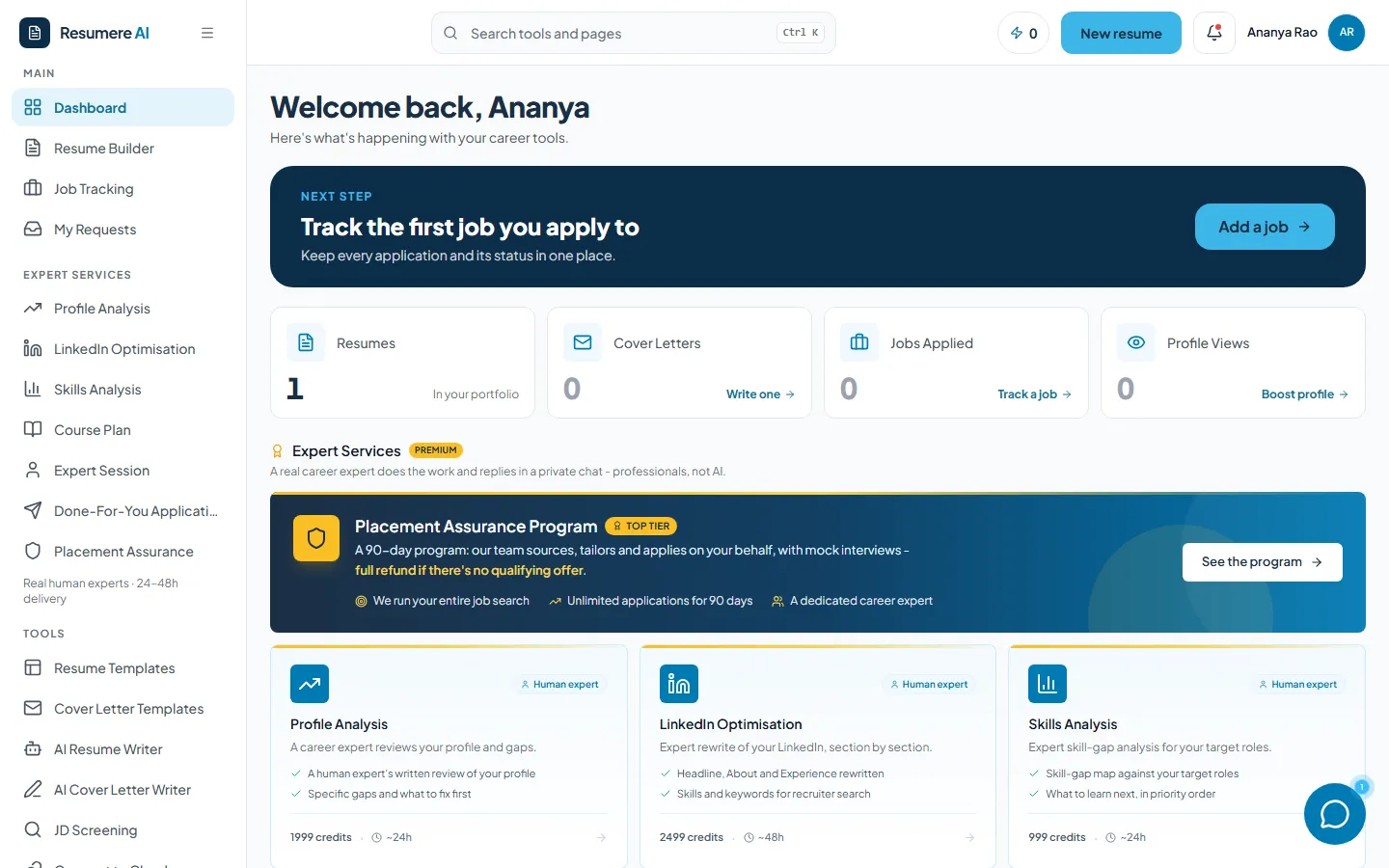
- 1Expert Services → Expert Session
02Tell your expert your target
The top of the page shows what's included and whether your balance covers it. Then fill in Your target: the role you're aiming for, your experience level, the type of company you want, and your career goal or biggest challenge. The more specific the goal, the more useful the call.
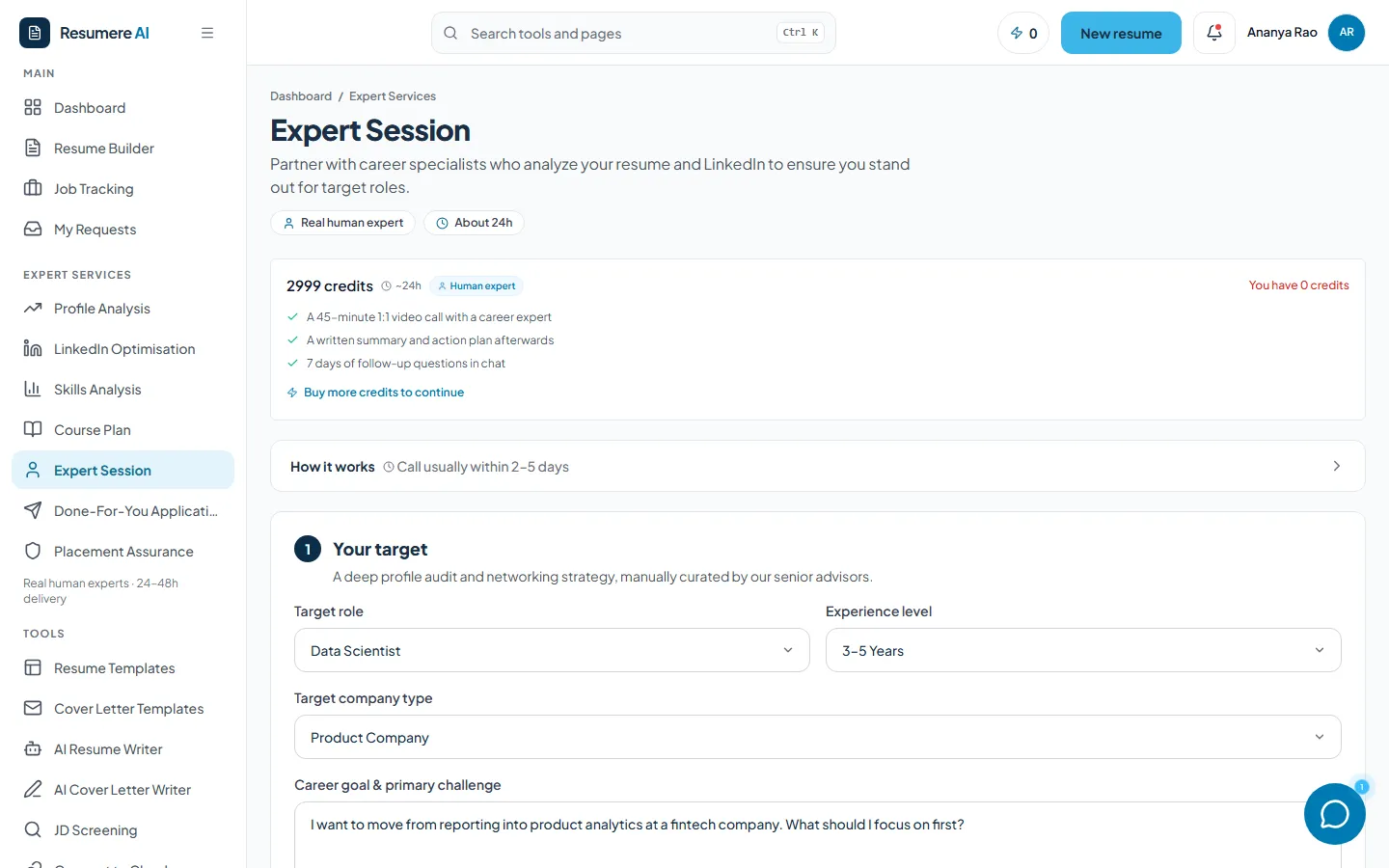
- 1Your balance, and a link to buy credits if you're short
- 2How it works: the short version of this guide
- 3Your target role and experience
03Add your profile, then submit
Add your LinkedIn URL and upload your resume as a PDF, so your expert can read up before the call. The Ready to submit panel ticks off each part and shows the cost and your balance after paying. Click Submit for expert insights.
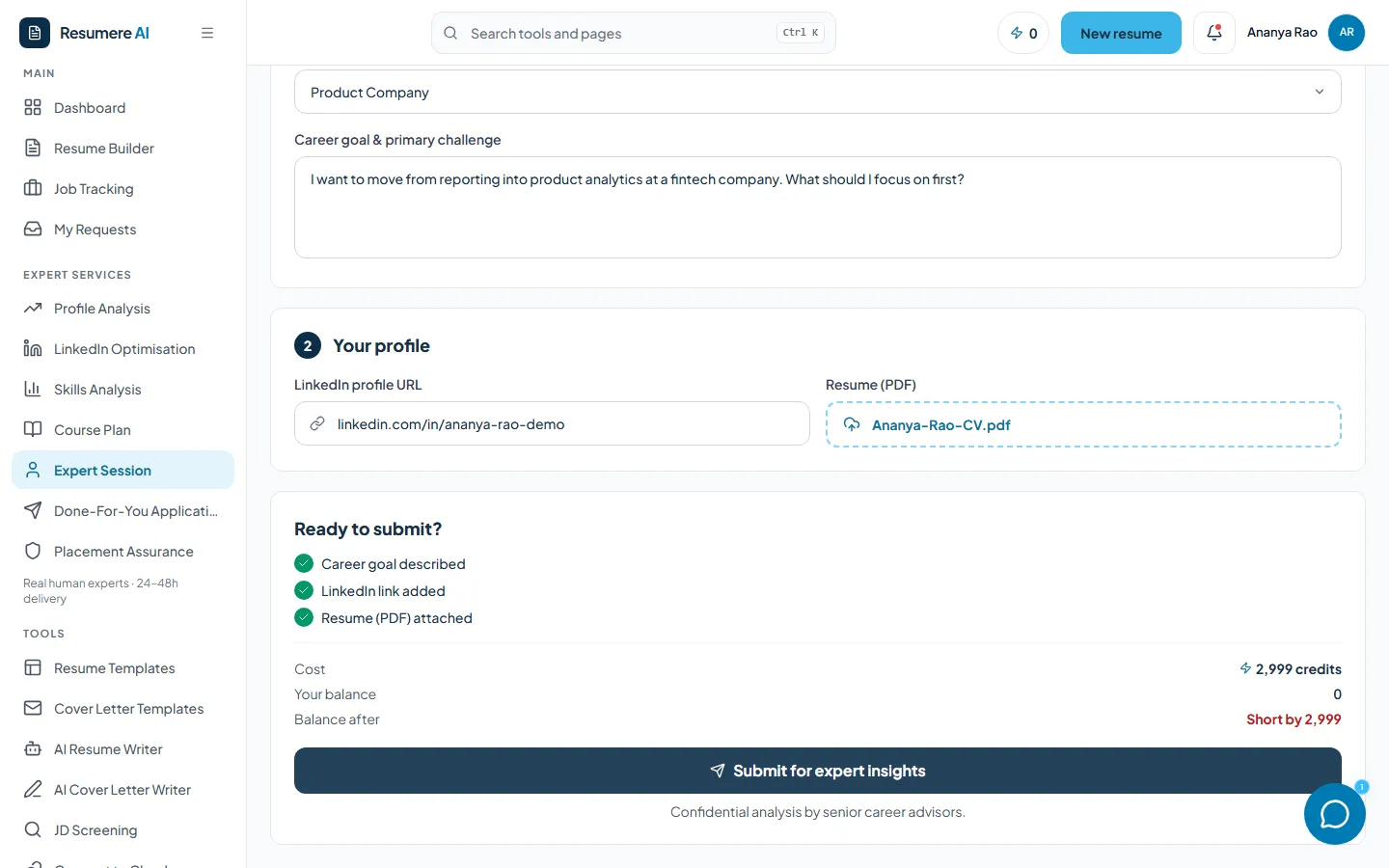
- 1Your LinkedIn profile URL
- 2Your resume (PDF)
- 3Cost and balance after
- 4Submit for expert insights
04Get to know your request page
As soon as you submit, a career expert is matched to you and you land on your request page. Your first two steps, Add your CV and Tell us about your goals, are already ticked from the brief you just filled in.
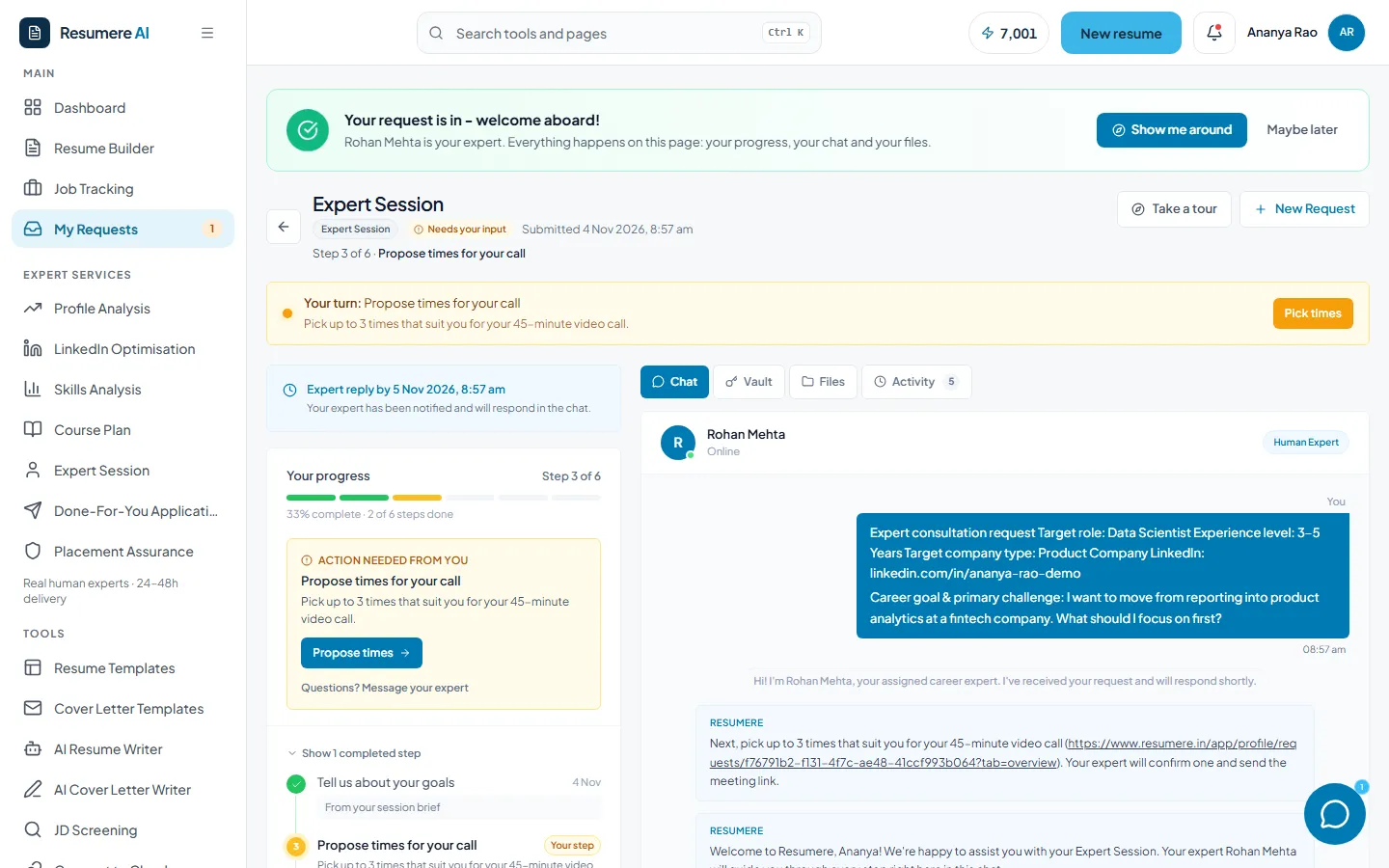
- 1Your expert's name, and a quick tour of the page
- 2Your turn: propose times for the call
- 3Your progress: all six steps
- 4Tabs: Chat, Vault, Files, Activity
05Propose times for your call (your step)
Scroll to Your 1:1 session. Pick up to three dates and times that suit you, add what you'd like to focus on if you want, and click Propose times. Times are shown in your own time zone.
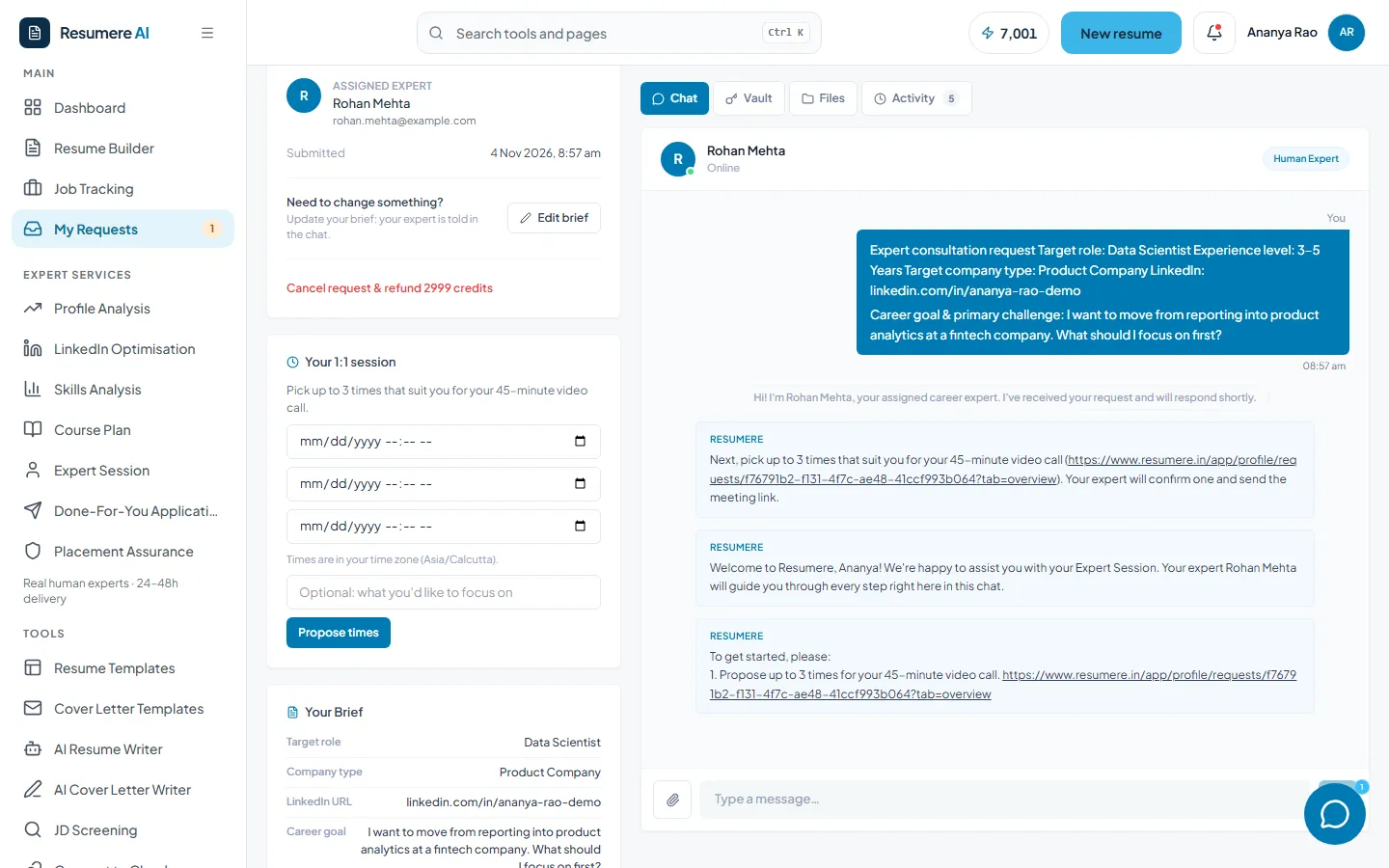
- 1Up to three preferred times
- 2Propose times
Until your expert confirms, the card shows the times you offered. Click Change times if your plans change.
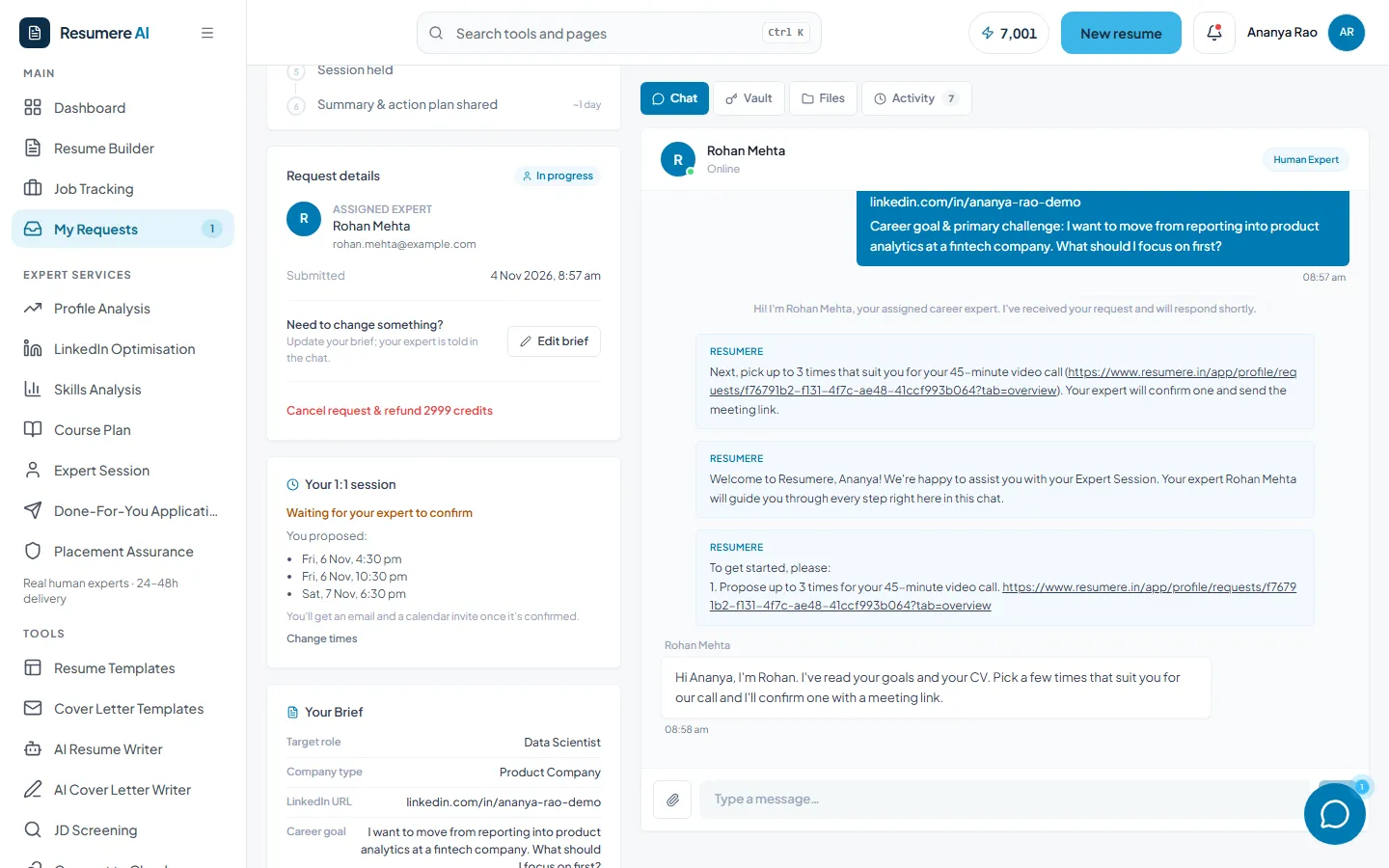
- 1Waiting for your expert to confirm
- 2Change times
06Join the call
Your expert confirms one of your times and adds the video link. You're notified in the app, by email with a calendar invite, and on WhatsApp if you've added your number, plus a reminder before the call. At the time, click Join the call.
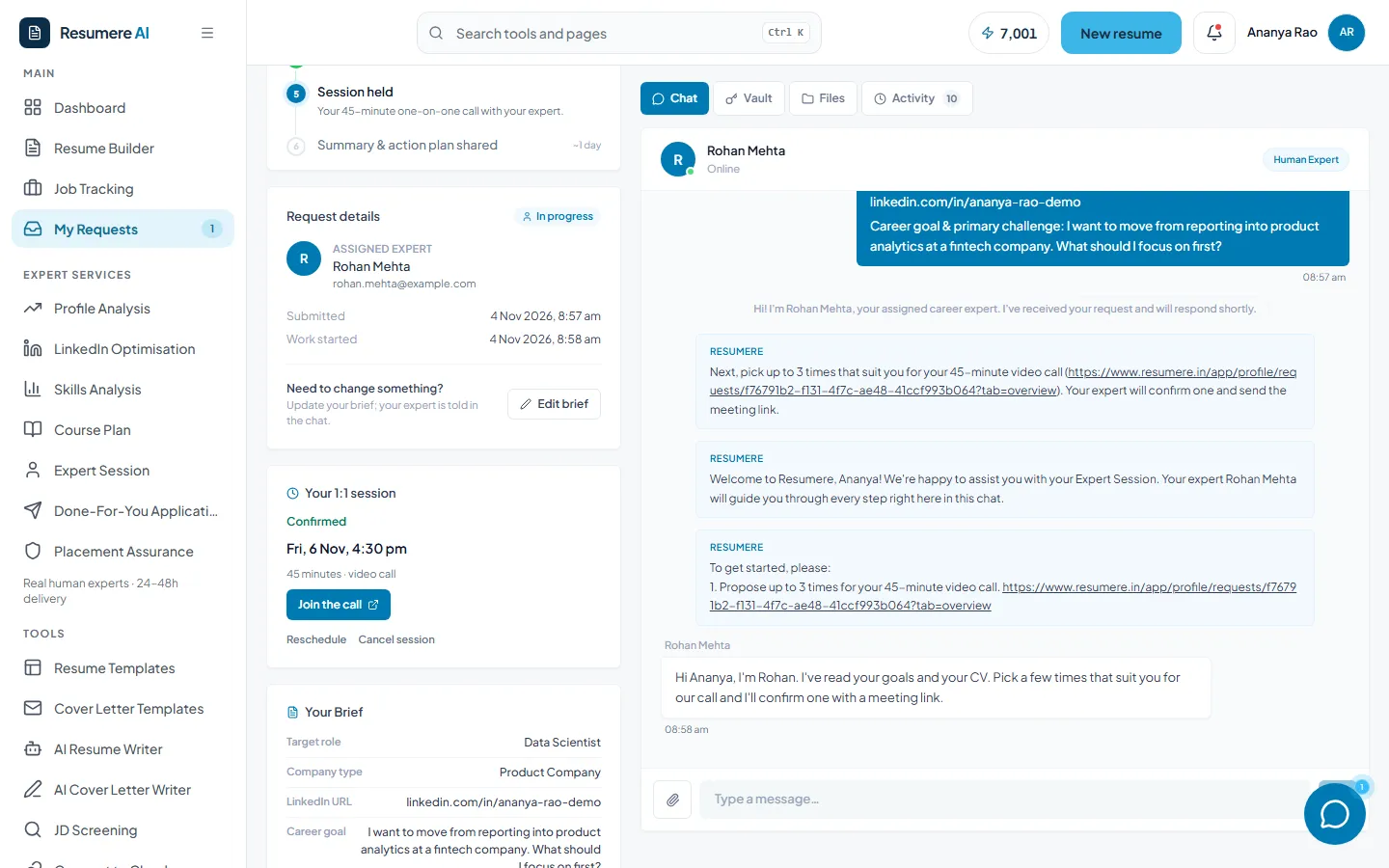
- 1Join the call
- 2Reschedule or cancel the session
07Get your summary and action plan
After the call, your expert writes up what you agreed and a numbered action plan, usually within a day. It appears in the session card on your request page, and the tracker shows Every step is complete.
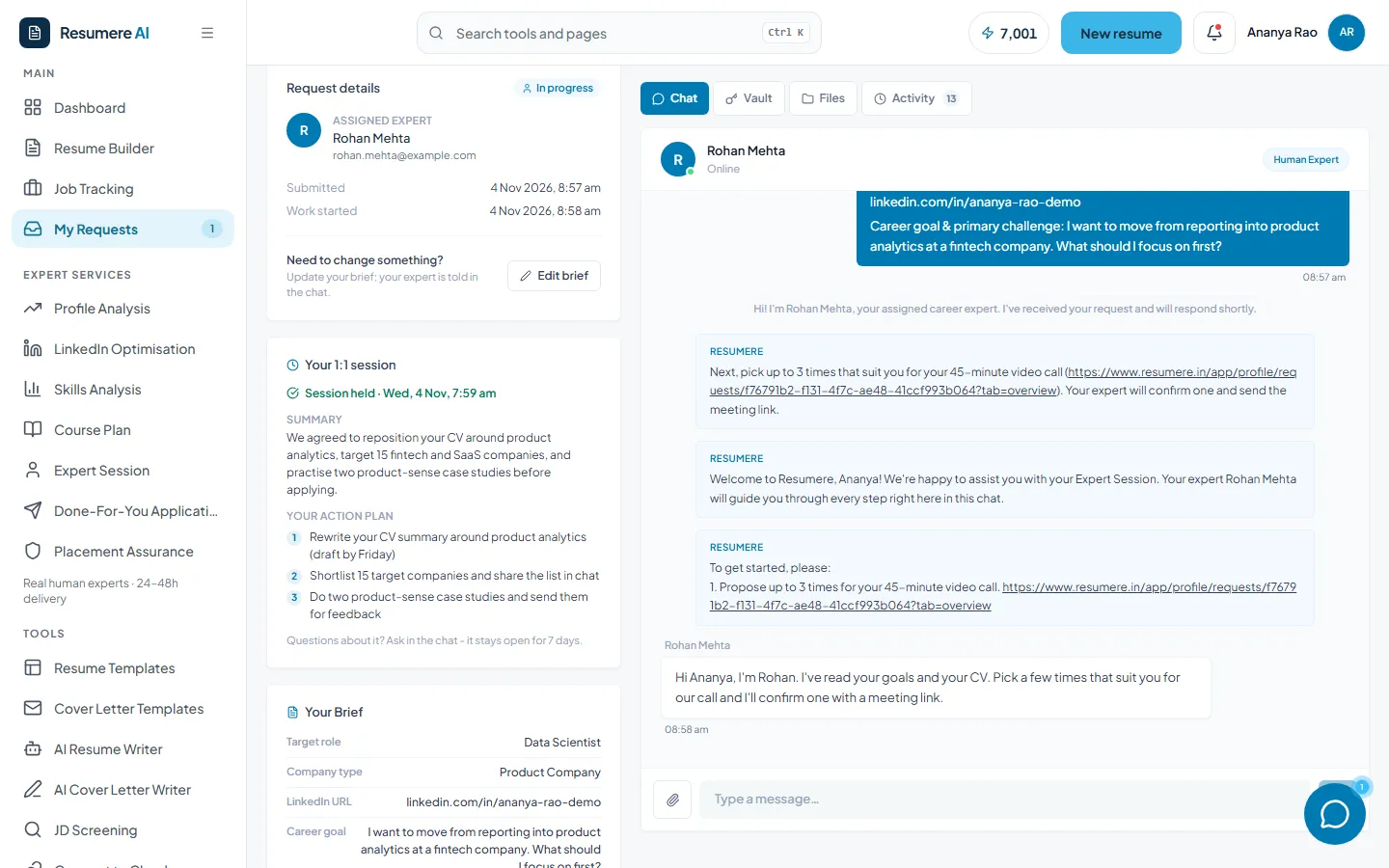
- 1Summary of what you agreed
- 2Your action plan, step by step
Your chat stays open for 7 days, so send your expert progress on the action items or any questions that come up.
08Find it again under My Requests
All your expert requests live under My Requests in the sidebar, each with its progress, your expert and their latest message.
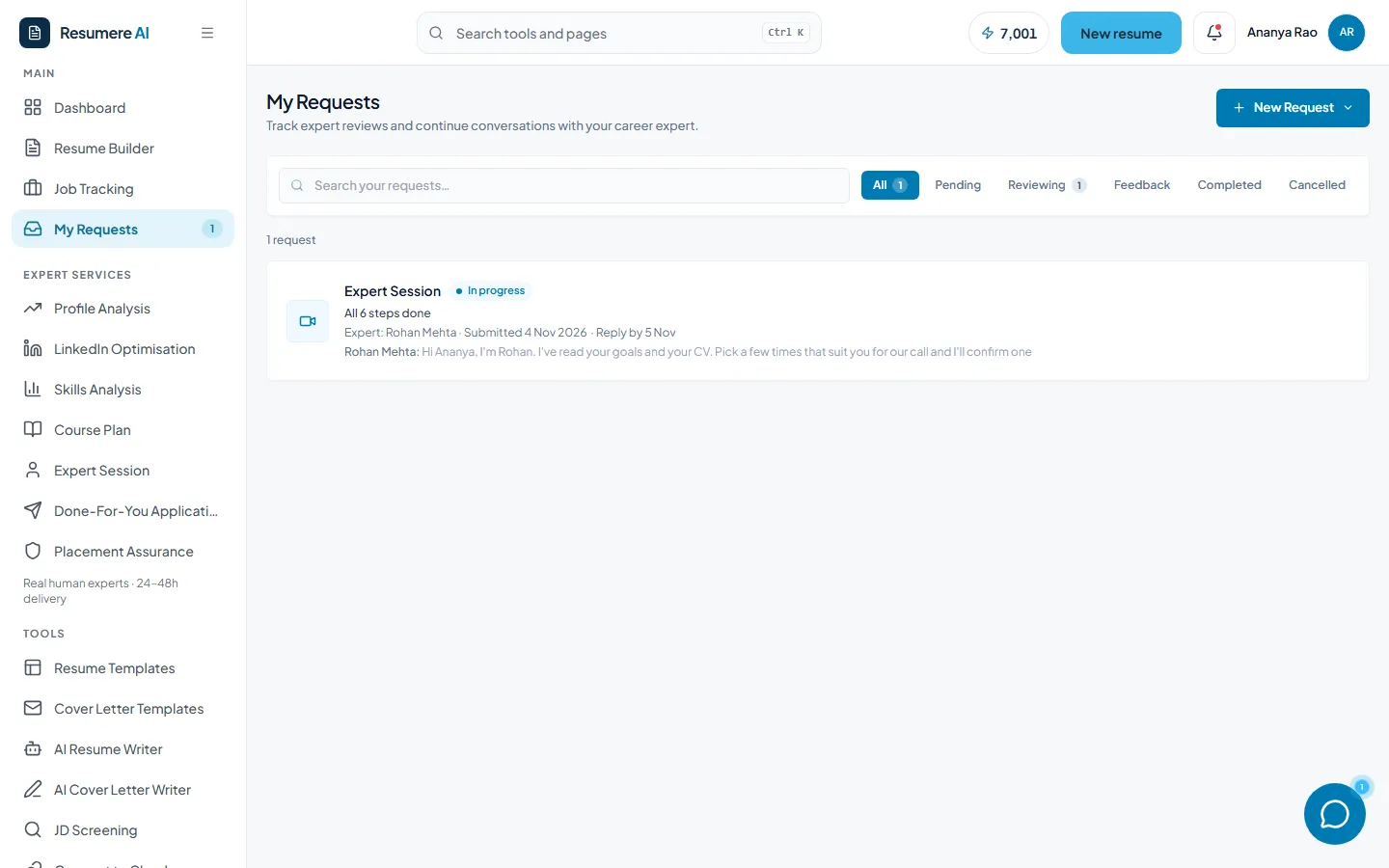
- 1Your request, its progress and the latest message
- 2Filter by status
Frequently asked questions
- Is the session with a real person?
- Yes. It's a live 45-minute video call with a career expert. Their name is on your request page and you can message them in the chat before and after the call.
- How soon is the call?
- Usually within 2 to 5 days, depending on the times you propose. Offering a few options helps your expert confirm one quickly.
- What if I can't make the time?
- Use Reschedule on the session card to offer new times, or Change times before it's confirmed. You can also message your expert in the chat.
- What do I get after the call?
- A written summary of what you discussed and a numbered action plan, shown on your request page, plus 7 days of follow-up questions in chat.
- Can I cancel and get a refund?
- Yes, until your expert confirms a time. Open your request page, scroll to Request details and click Cancel request. Your credits go straight back to your wallet.
- How do I pay?
- From your Resumere credits wallet (1 credit = ₹1). The exact cost is shown before you submit, and you can buy credits by card or UPI from the same page if you're short.
Want a career expert's advice, face to face?
Fill in a short brief, pick your times, and get a written action plan after the call.