Step-by-step guide
How to buy the Job Guarantee
Enroll in the Job Guarantee program from your Resumere dashboard in a few minutes. This guide walks through every screen — signing in, finding the program, paying, topping up credits if needed, and setting your job preferences.
The Job Guarantee is Resumere's premium Done-For-You tier: a dedicated expert runs your entire job search — sourcing roles, tailoring your resume and applying on your behalf — with no cap on applications until you're placed. You buy it upfront from inside your dashboard. Here's exactly what to click, screen by screen.
What this guide covers
- Where the Job Guarantee lives in your dashboard
- How to pay — and what to do if your credit balance is short
- What happens right after payment, and how to set your preferences
- Where to track your expert's progress
01Sign in to your dashboard
Go to your Resumere account and sign in. If you don't have an account yet, create one for free — you only pay when you enroll. Once signed in you'll land on your dashboard.
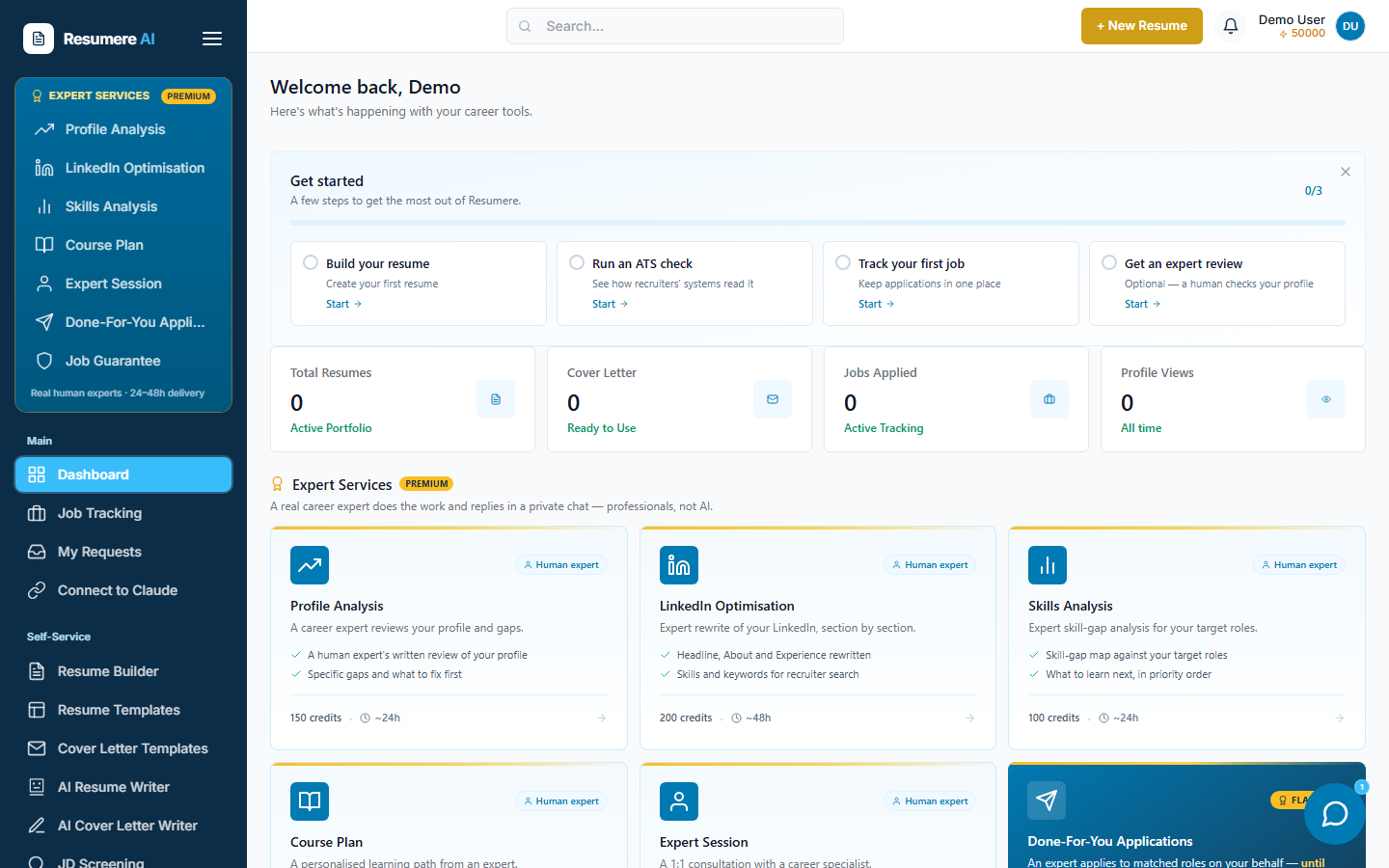
- 1The Expert Services panel in the sidebar
02Open the Job Guarantee section
In the left sidebar, under the gold Expert Services panel, click Job Guarantee. This opens the program page where you can review what's included and enroll.
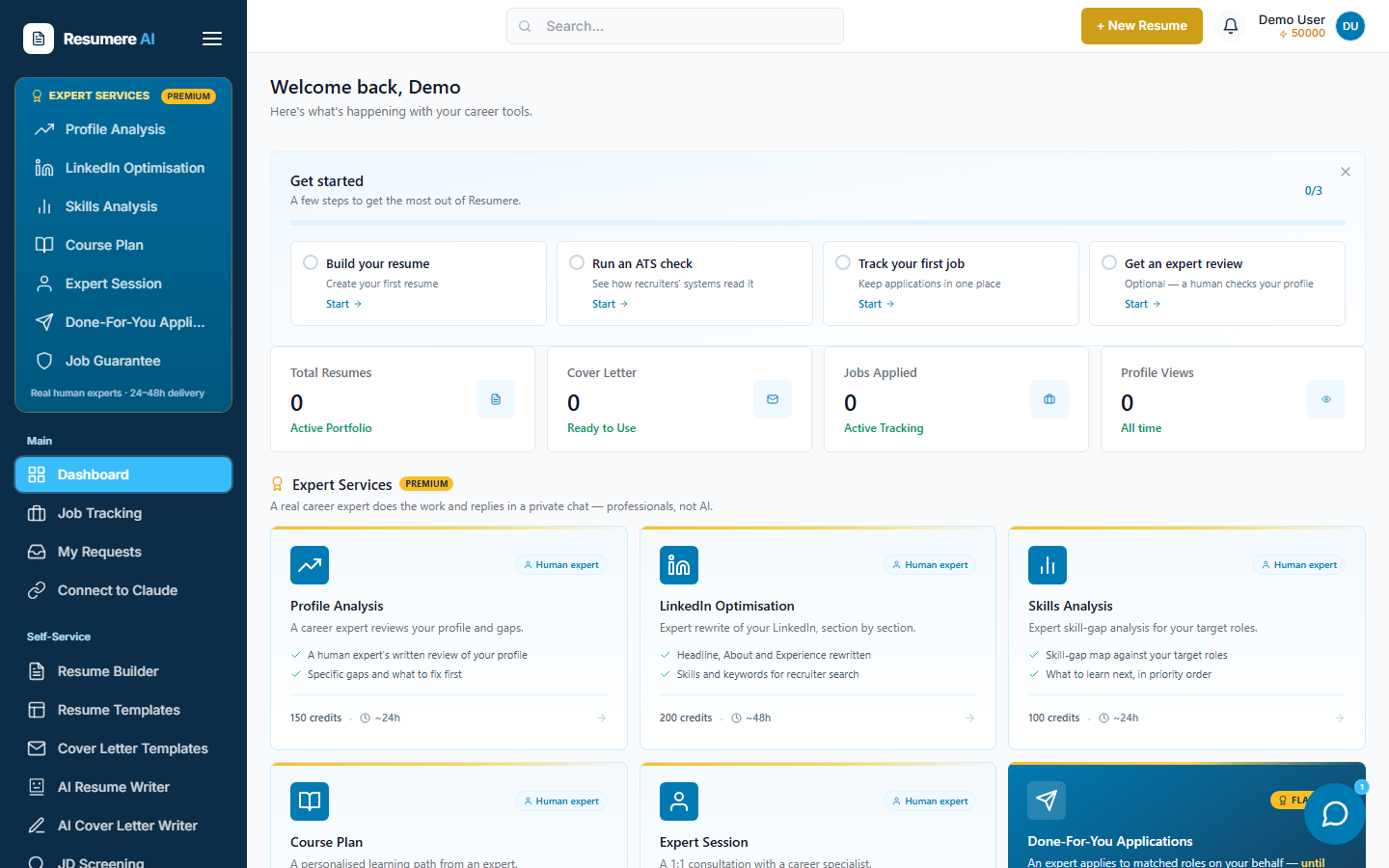
- 1Click 'Job Guarantee'
03Review what's included
The program page lists what the guarantee covers — reverse recruitment, unlimited applications, and a dedicated expert — next to an enrol card showing the program price.
What you're buying
- A dedicated expert who runs your job search end-to-end
- No cap on the number of applications
- Progress tracked in a private chat on your request page
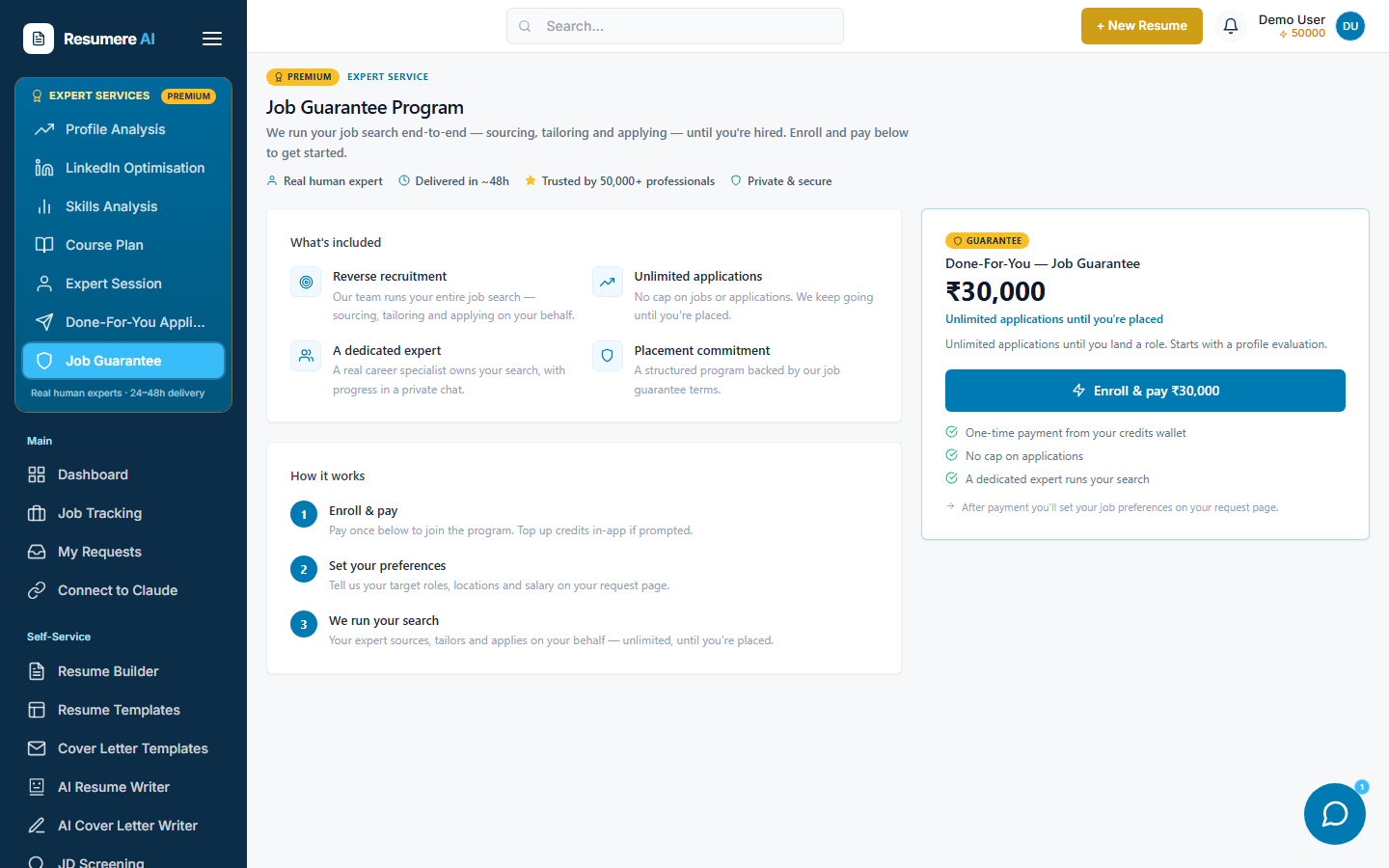
- 1What's included
- 2The enrol card and price
04Click Enroll & pay
On the enrol card, click Enroll & pay. The program price is charged once from your Resumere credits wallet. If you have enough credits, your request is created immediately and you're taken to the next step.
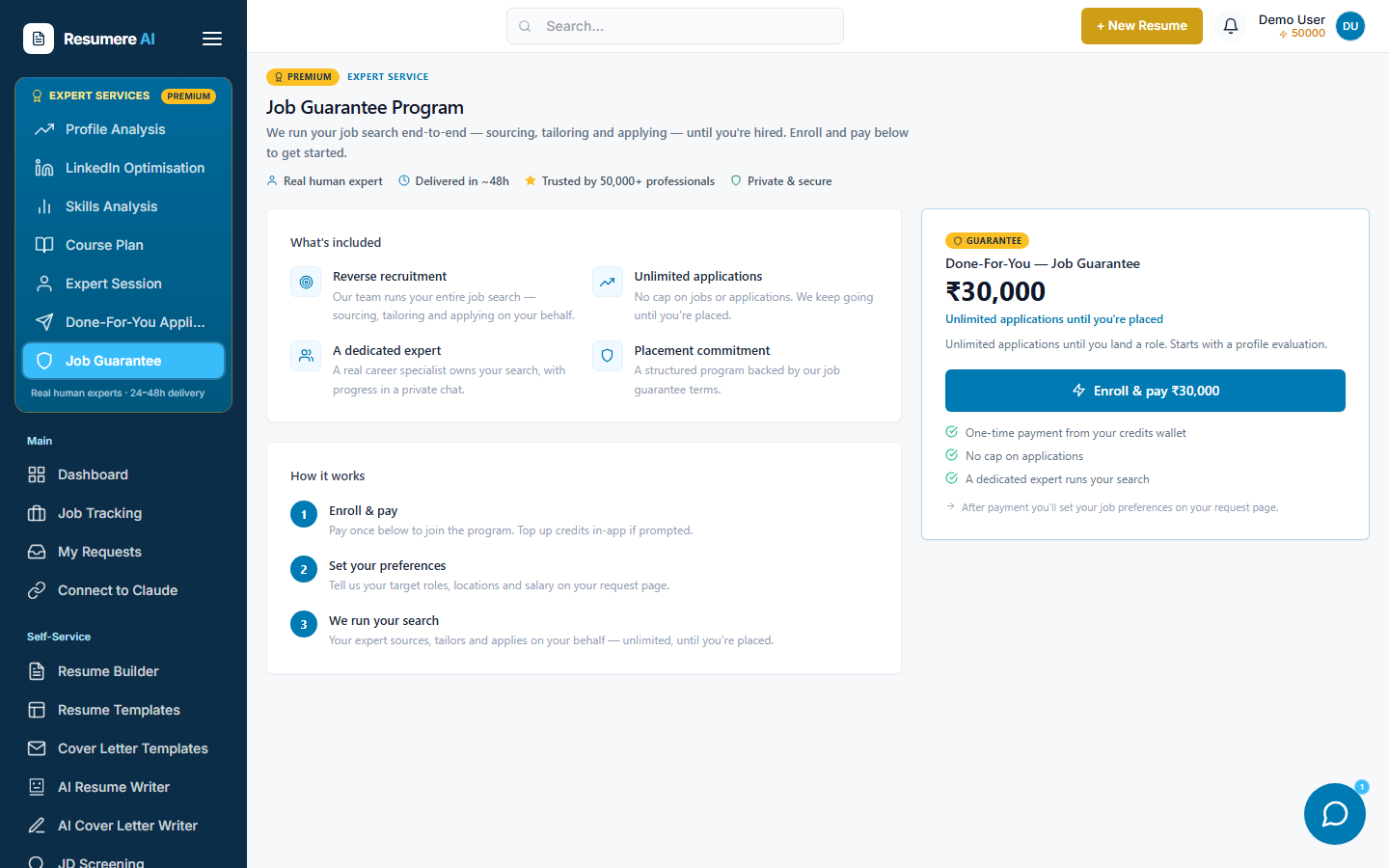
- 1Click 'Enroll & pay'
05Top up credits if prompted
If your wallet doesn't cover the program, a Buy Credits window opens showing how much you need. Pay by card or UPI (Razorpay in India, card elsewhere). As soon as the top-up succeeds, your enrolment continues automatically — you don't have to click Enroll again.
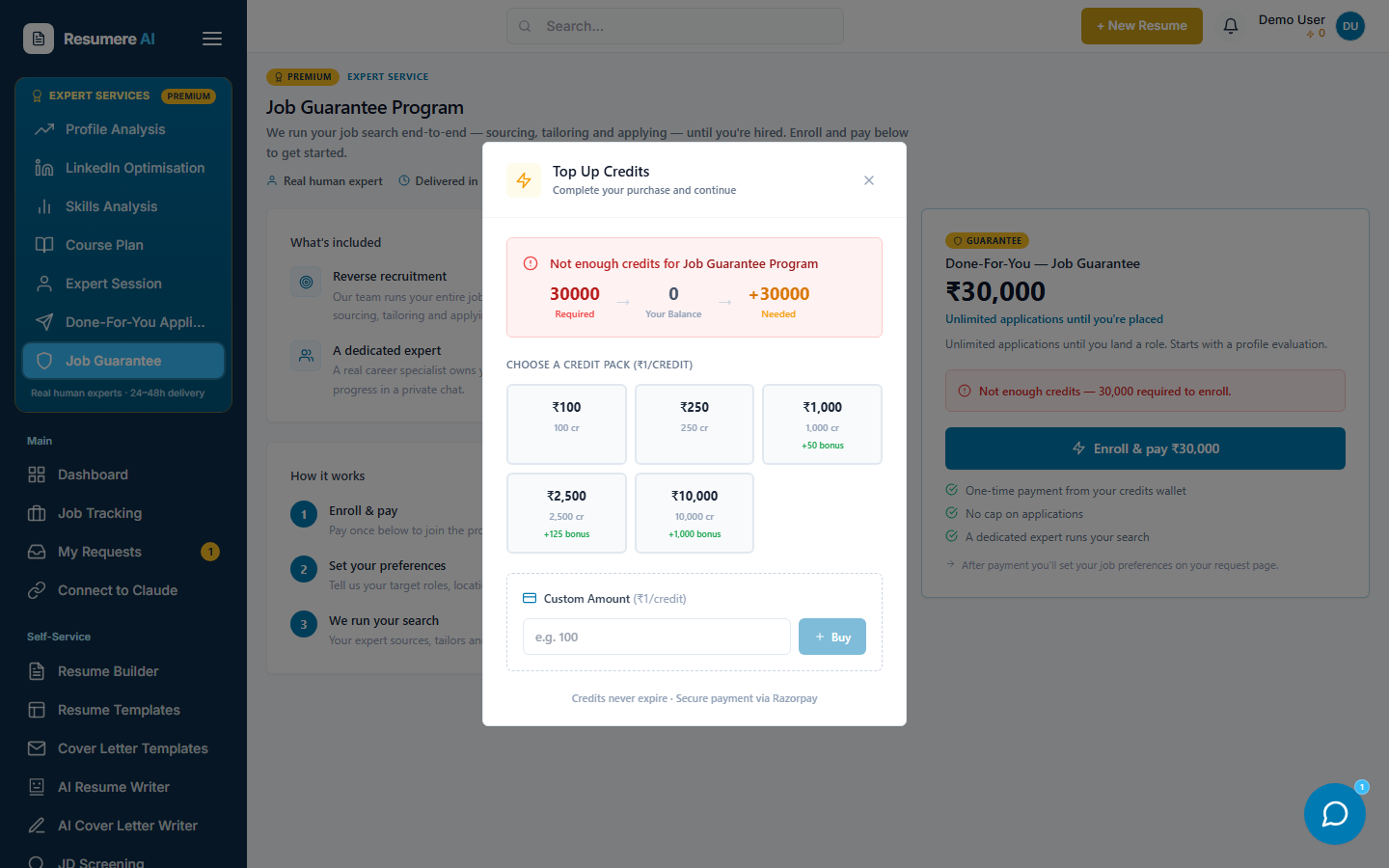
- 1Credits required for the program
- 2Pay by card or UPI, then it retries automatically
06Set your job preferences
After payment you land on your request page. Set your target roles, locations, salary range and anything your expert should know. This is the brief your expert works from, so be specific.
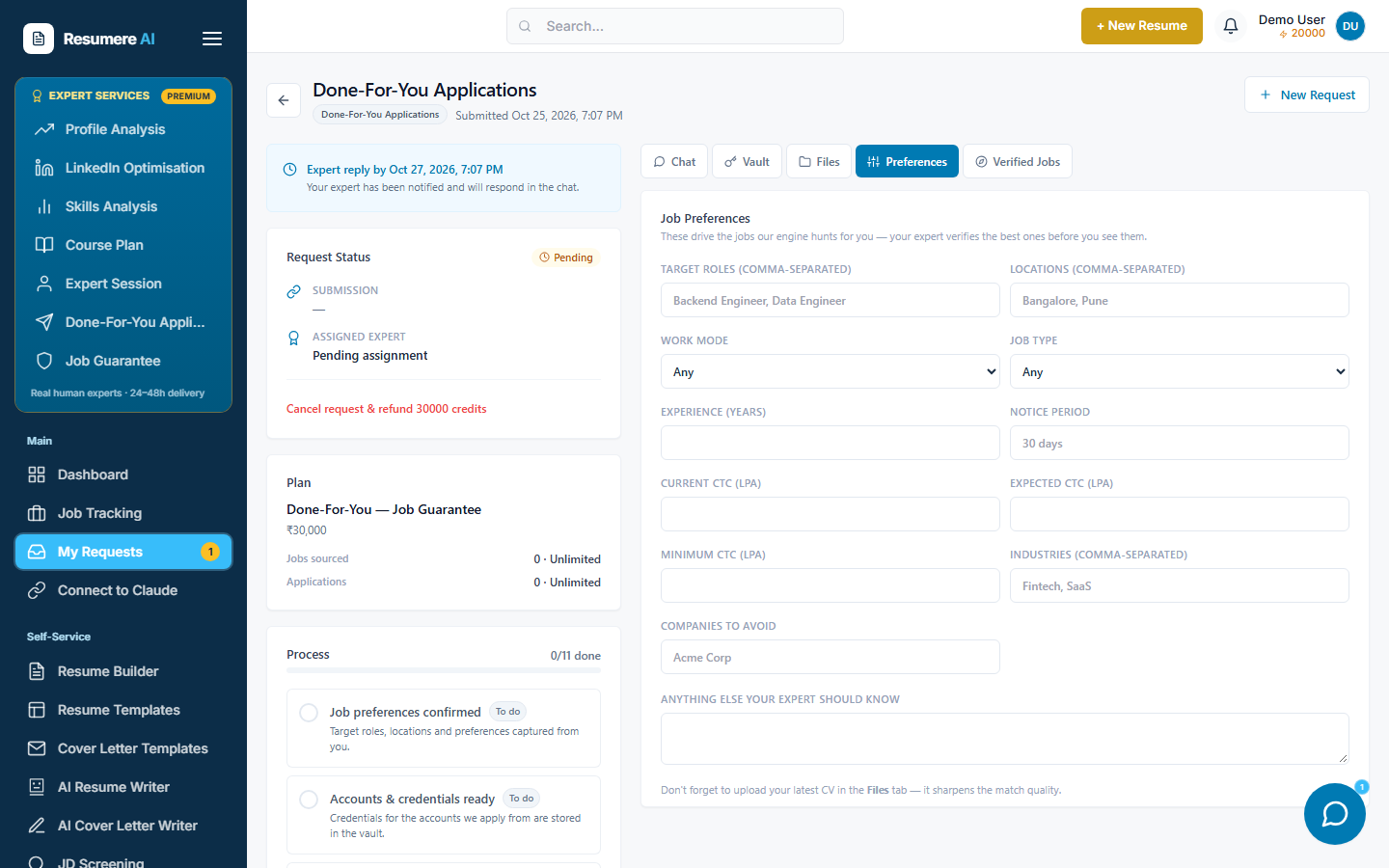
- 1Target roles and locations
- 2Salary range and notes
07Track your expert's progress
Your request now runs from My Requests. Open it any time to chat with your expert, approve jobs before they apply, and watch applications go out. You'll get notifications as things move.
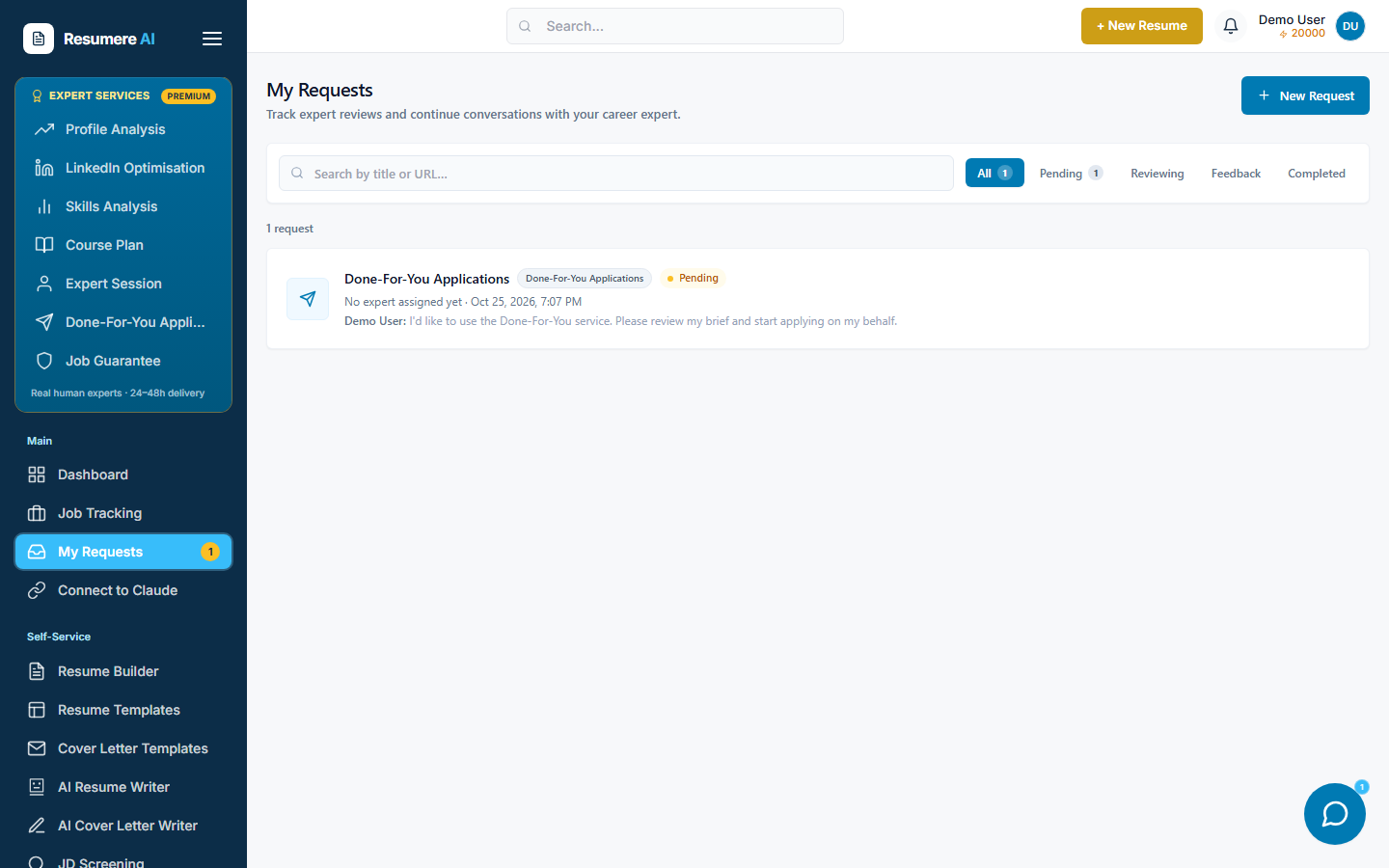
- 1Your active Job Guarantee request
- 2Status and progress
Frequently asked questions
- Do I need an evaluation before I can buy the Job Guarantee?
- No. You enroll and pay upfront directly from the Job Guarantee page in your dashboard. You set your job preferences right after paying, and your dedicated expert takes it from there.
- How do I pay?
- The program is paid once from your Resumere credits wallet (1 credit = ₹1). If your balance is short, a Buy Credits window lets you top up by card or UPI, and the enrolment then continues automatically.
- What happens right after I pay?
- Your request is created and you're taken to its page to set your target roles, locations and salary. An expert is assigned and a private chat opens for the request.
- Where do I find my program later?
- Open My Requests in your dashboard. Your Job Guarantee request is listed there with its status; open it to chat with your expert and track applications.
- Is there a cap on applications?
- No. The Job Guarantee is the unlimited tier — your expert keeps sourcing and applying to matching roles until you're placed.
Ready to let an expert run your job search?
Enroll in the Job Guarantee from your dashboard and set your preferences in minutes.